

Find out why a service is failing
Use this guide when a service shows a high error rate, users see errors, or an error-rate alert fires.
You will find which service and which operation fail, then read the error itself. The
example uses the HotROD demo app, where the redis-manual service fails with
redis timeout on about one call in five.
-
Spot the failing service. Open Services. Services with a red badge, such as 100% errors or errors ↑3×, come first; their Error % is in red when it is 5% or more. In the demo,
paymentfails on every call (a synthetic test service) andredis-manualon about 18.5%. This guide followsredis-manual.The error rate counts spans whose status is error, so one failed call in five gives 20%.
-
Check whether it is new. Click
redis-manual. On the Overview, the Error rate KPI shows the change against the previous period (no changein the demo), and the Error % chart draws the previous period dashed. Highlights calls out a rate that doubled or reached 50%. Click a point on the Error % chart and choose View traces or View logs to see the failures of that moment. -
Find the failing operation and the error. Open the Errors tab. Top exceptions lists what the code recorded, here
*errors.errorStringwith the messageredis timeout. Error status messages shows which operation fails: all errors areGetDrivercalls, with the status messageAn error occurred.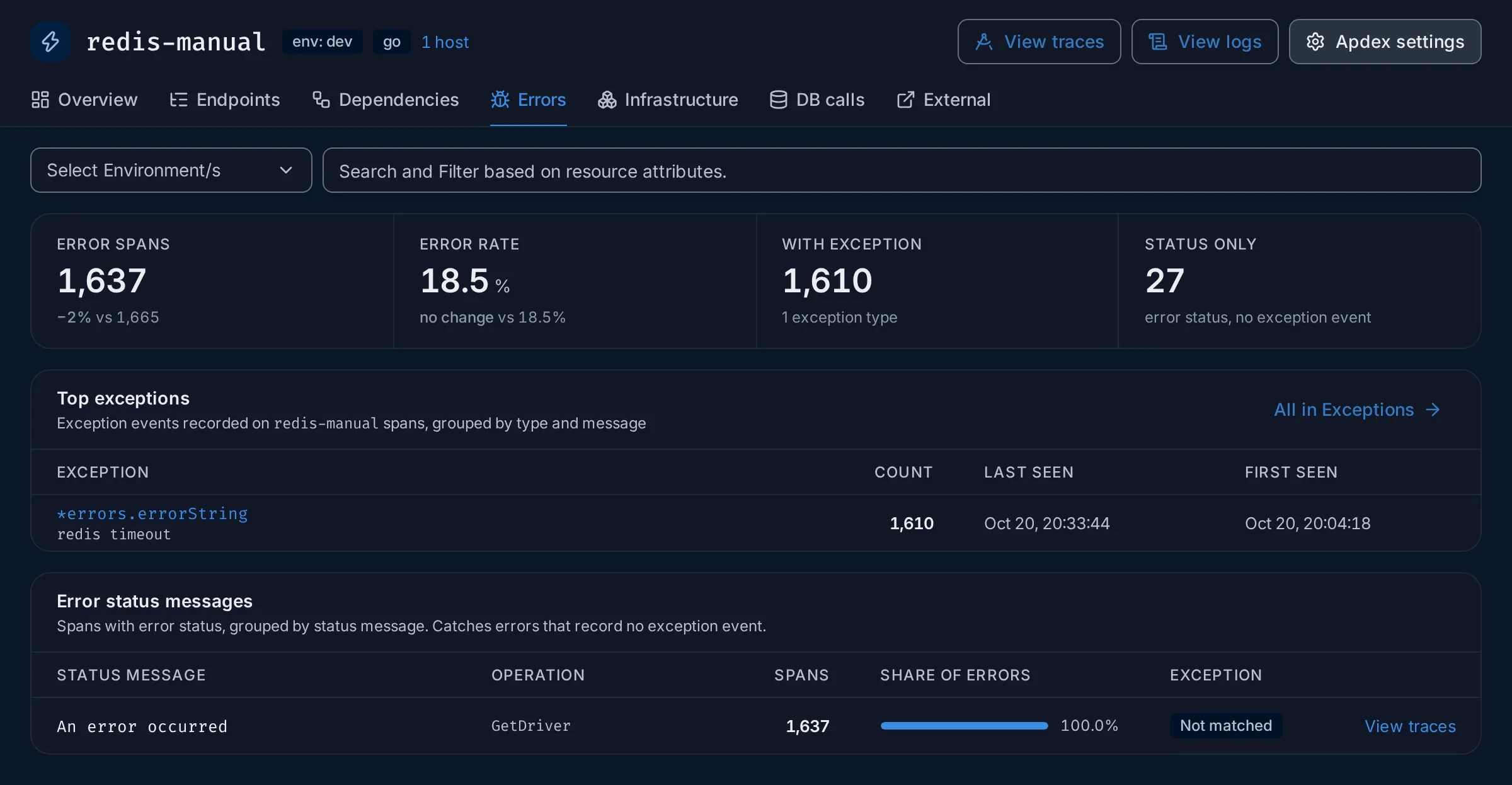
If With exception is
0, the code sets an error status without recording an exception: rely on the status message and the span attributes. See Errors. -
Open one failed request. Click View traces on the
GetDriverrow. The Traces explorer opens on those failed spans. Click a row: the trace opens. Turn on Highlight errors at the top of the trace to see which spans failed, and where they sit in the request. See Find spans in a trace. -
Read the error. Click the failed span. In Span details, the Events tab lists the exception the code recorded, with its type and message, and its stack trace when the SDK sends one. The Overview tab shows the span’s attributes, such as the status code or the query.
-
Check who is affected. Back on the service page, open Dependencies. Upstream lists the services that call
redis-manual: heredriver, which receives every failed call. Opendriverto see whether its own latency or errors suffer. -
Compare across services (optional). To count failures everywhere at once, open Traces, search for
has_error = true, switch to the Table view and group byservice.name.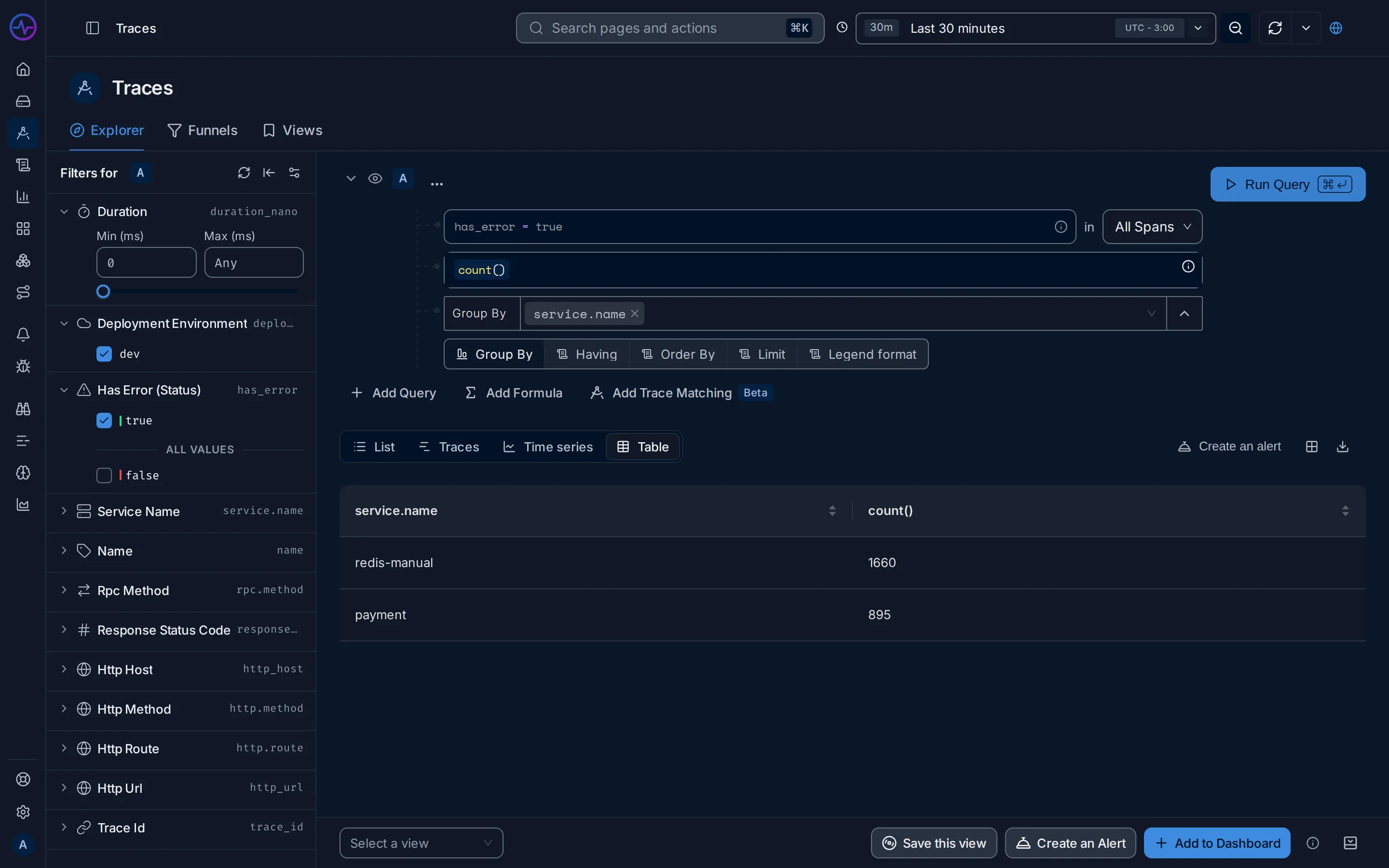
Expected result
Section titled “Expected result”You know the failing service, the operation, the error message and how long it has
been happening. In the demo: redis-manual times out on GetDriver, steadily, for the
whole time range.
Next steps
Section titled “Next steps”- Read the logs written during the failed request: see See the logs for one request.
- Get notified next time: see Set up your first alert.
Related
Section titled “Related”- Search syntax: more filters.
- Query builder: group by, order by and limit.
- Errors tab and Exceptions.
- Trace details: span details, events and logs.